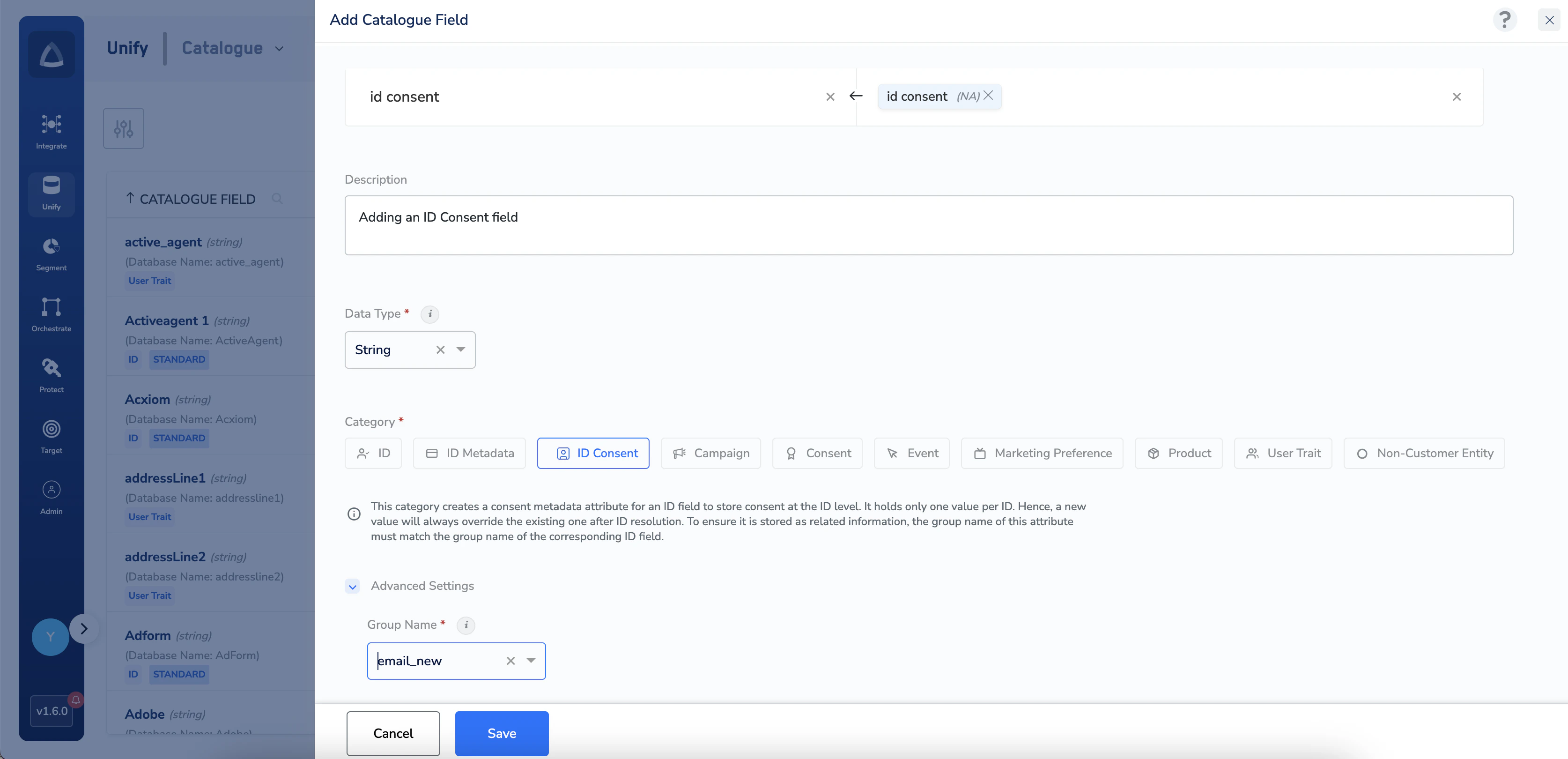
ID Consent category stores consent metadata information about an ID like Email ID consent. Perform the following steps to add an ID Consent category:Documentation Index
Fetch the complete documentation index at: https://zeotap-migration1.mintlify.app/llms.txt
Use this file to discover all available pages before exploring further.
Enter a Catalogue Field. As you type, suggestions based on the existing Catalogue Fields appear. You can choose a suggested Catalogue Field or click +Add Catalogue Field to add a new field.
Map the Catalogue Field to its corresponding Source Field. Same as the above behaviour, you can choose a suggested Source Field or click +Add a new Source Field to add a new field.
Under advanced settings, a Group Name appears by default. Select the Group Name from the drop-down menu. Ensure to select the appropriate Group Name for which you are creating the ID Consent category.