Documentation Index
Fetch the complete documentation index at: https://zeotap-migration1.mintlify.app/llms.txt
Use this file to discover all available pages before exploring further.
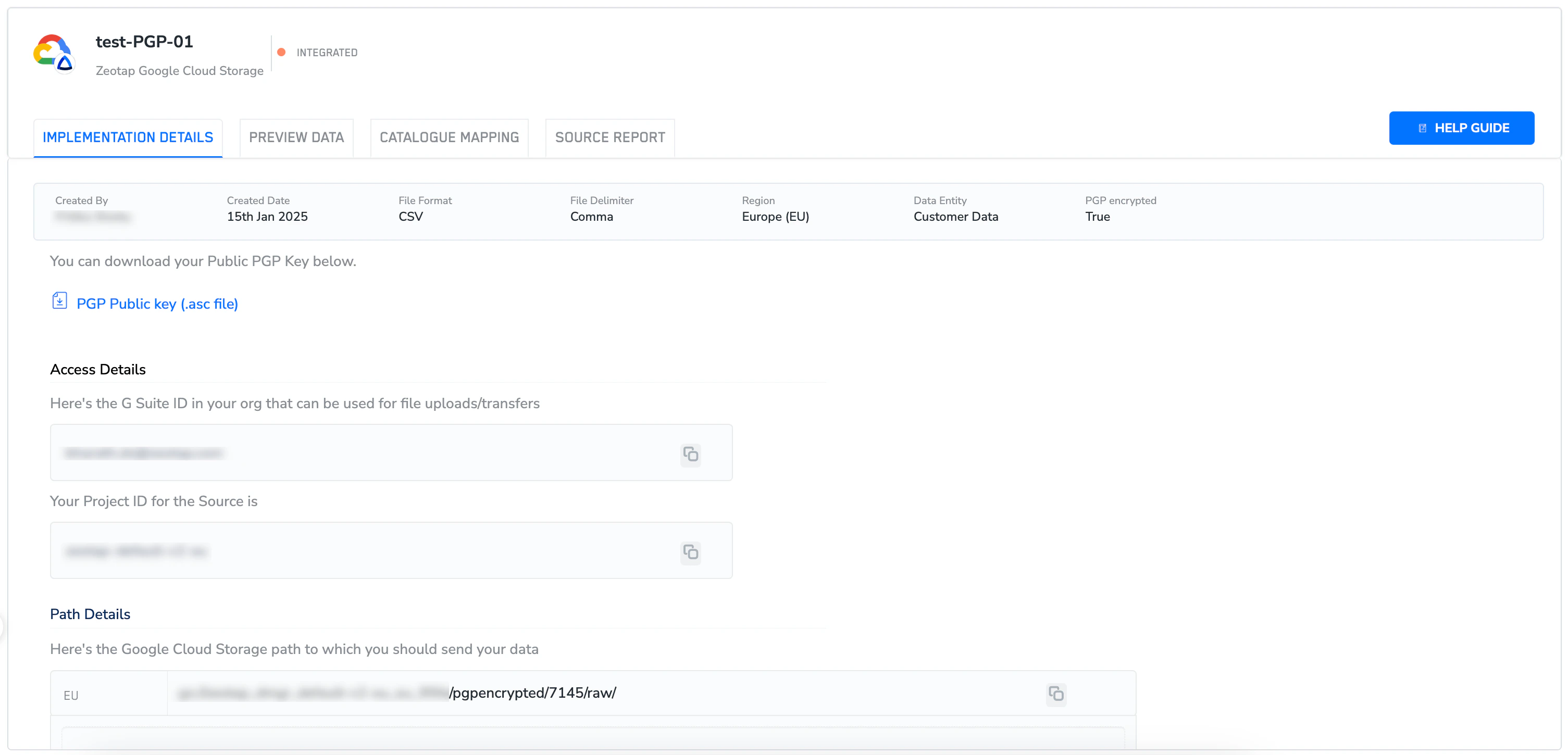
- If you have selected PGP encrypted as true while creating the source, then you will see a downloadable Public PGP Key as shown in the image below.
-
In the Access Details section, you can find-
- G Suite ID in your organisation that can be used for file uploads/transfers
- Your Project ID for the Source
-
In the Path Details section, you can find-
-
Google Cloud Storage path to which you can send the data.
Note:For PGP-encrypted sources, upload files only in the
.pgpformat. | - The + ADD FILES option to upload files directly from your local machines to the designated path.
-
Google Cloud Storage path to which you can send the data.