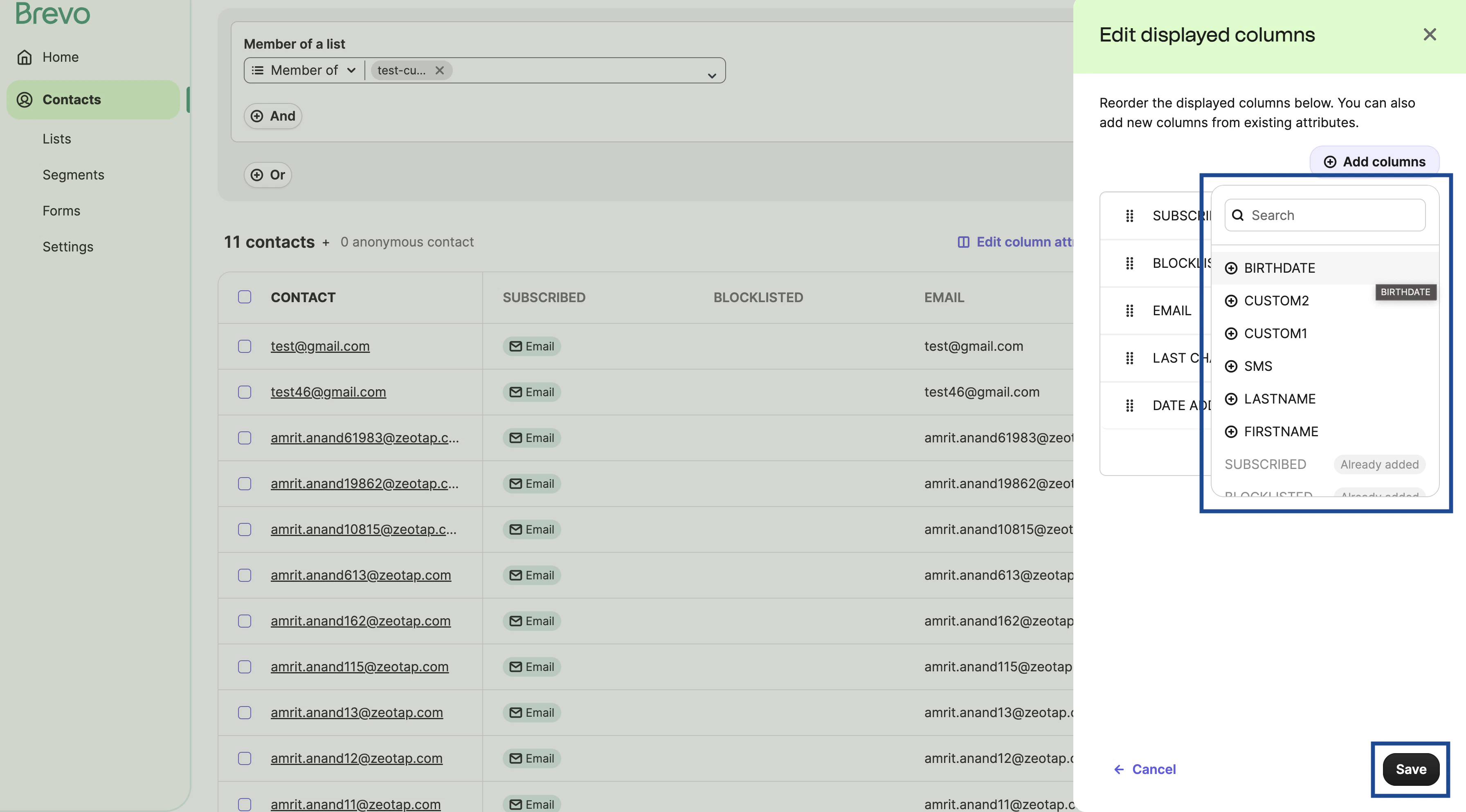
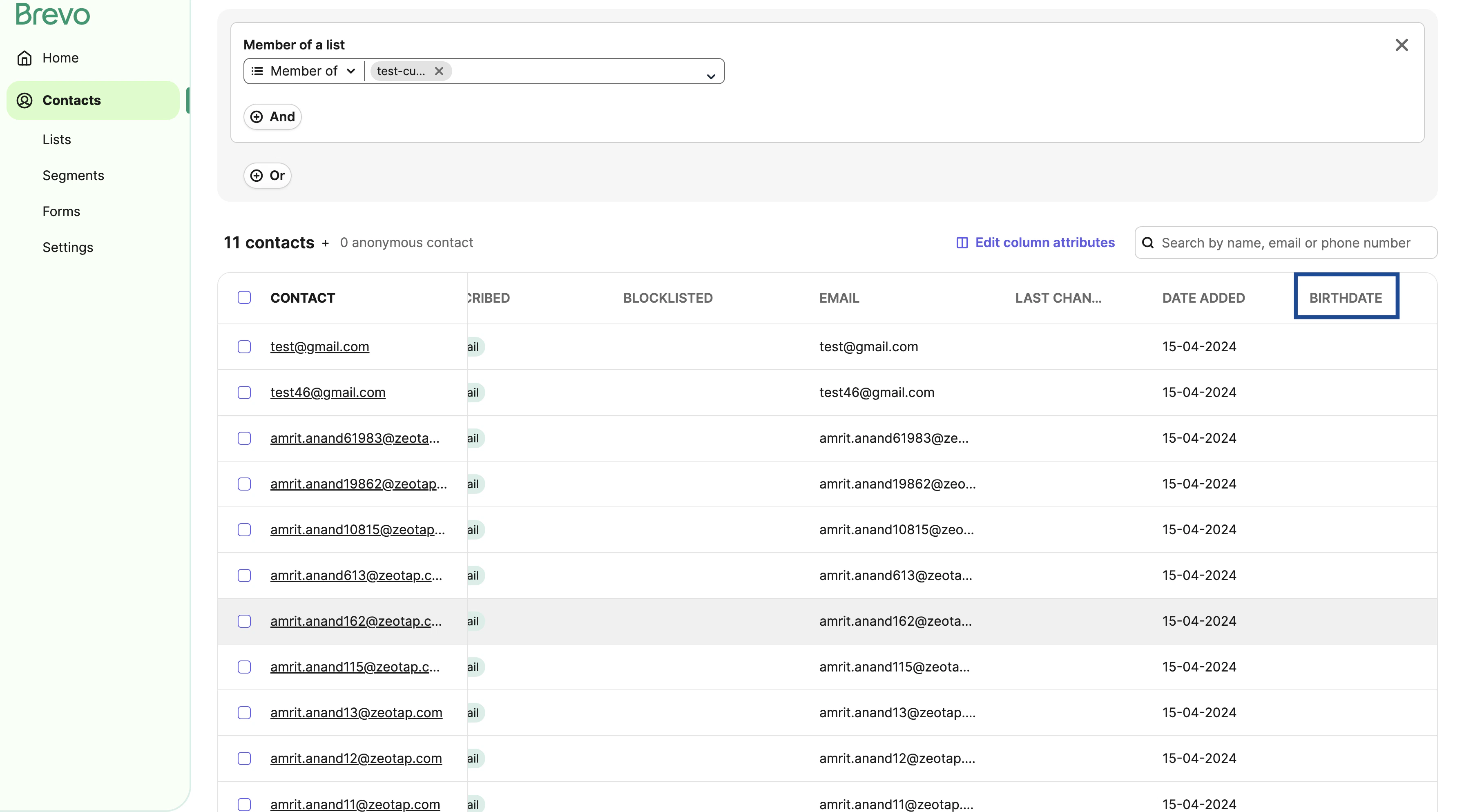
This section provides information about how to add custom attributes and new columns for custom attributes on the Sendinblue platform.Documentation Index
Fetch the complete documentation index at: https://zeotap-migration1.mintlify.app/llms.txt
Use this file to discover all available pages before exploring further.
Add Custom Attributes
Perform the following steps to add custom attributes on the Sendinblue (Brevo) platform: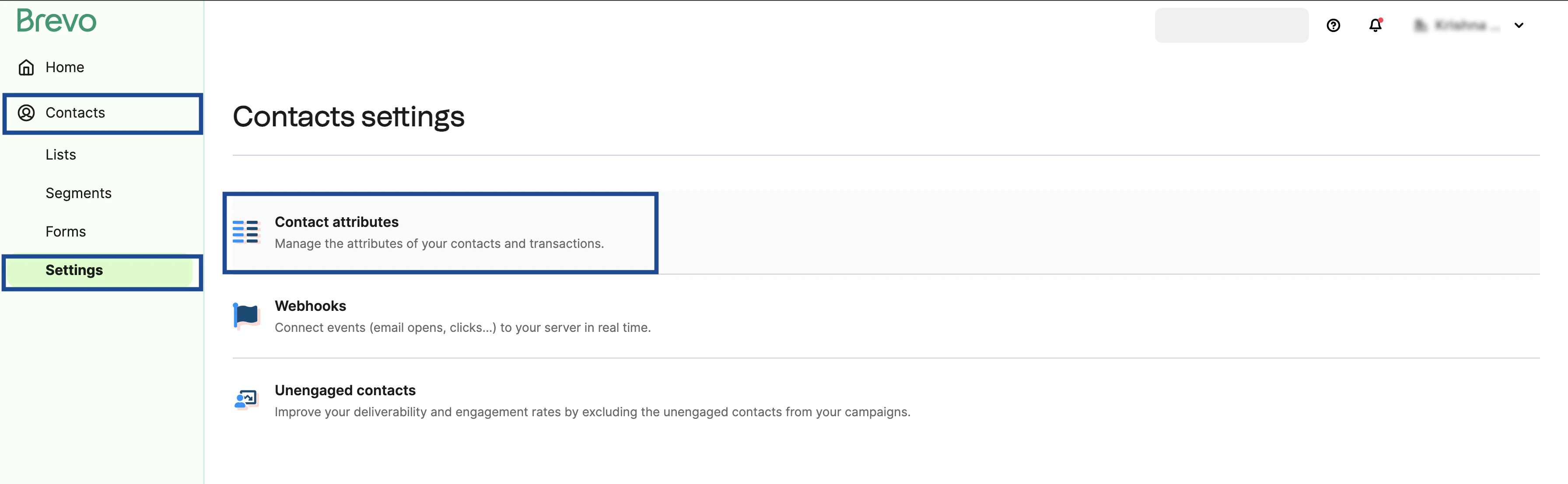
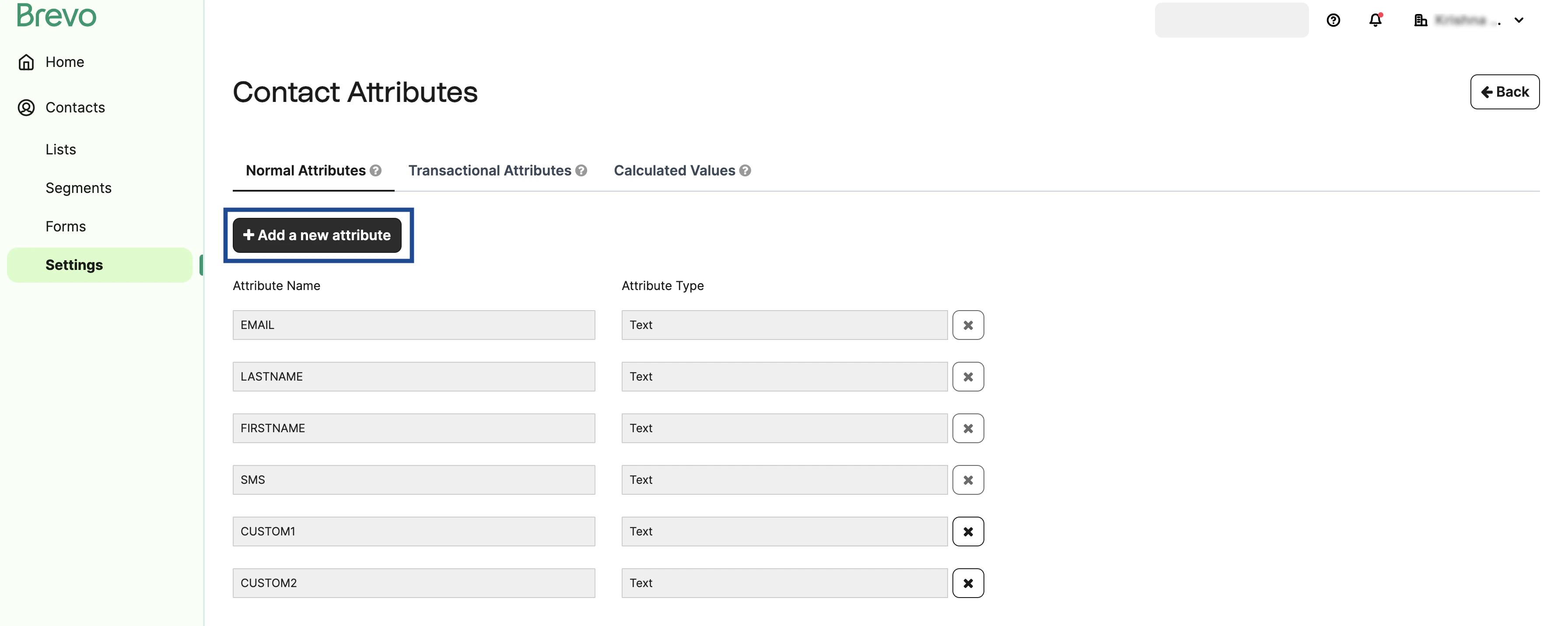
In the Attribute Settings window that appears, provide an Attribute Name in capital letters, choose the desired Attribute Type from the drop-down list and click OK. Note that the attribute type can be Text, Number, Category and Boolean.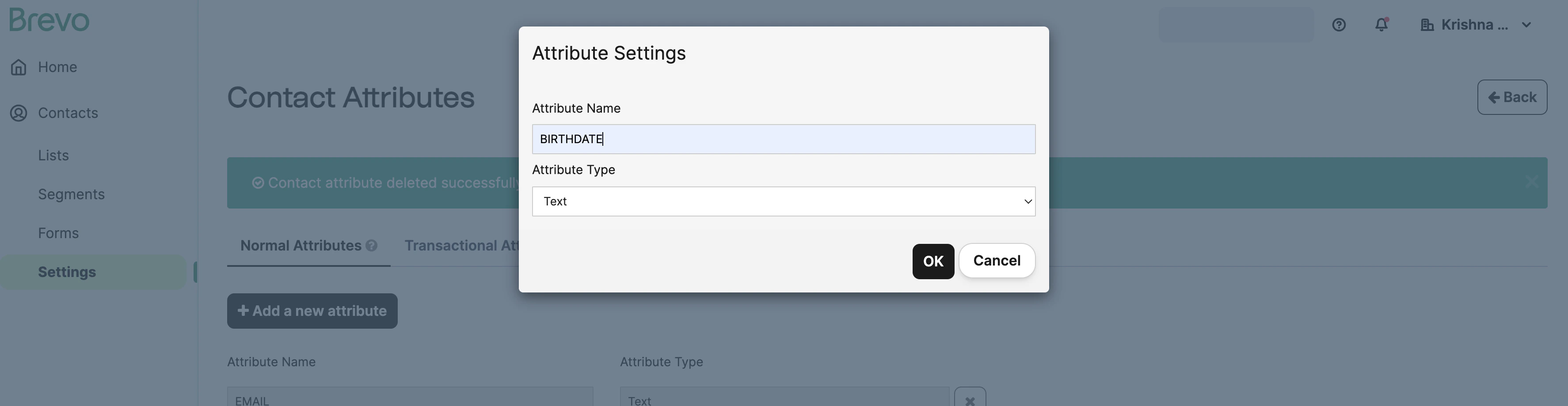
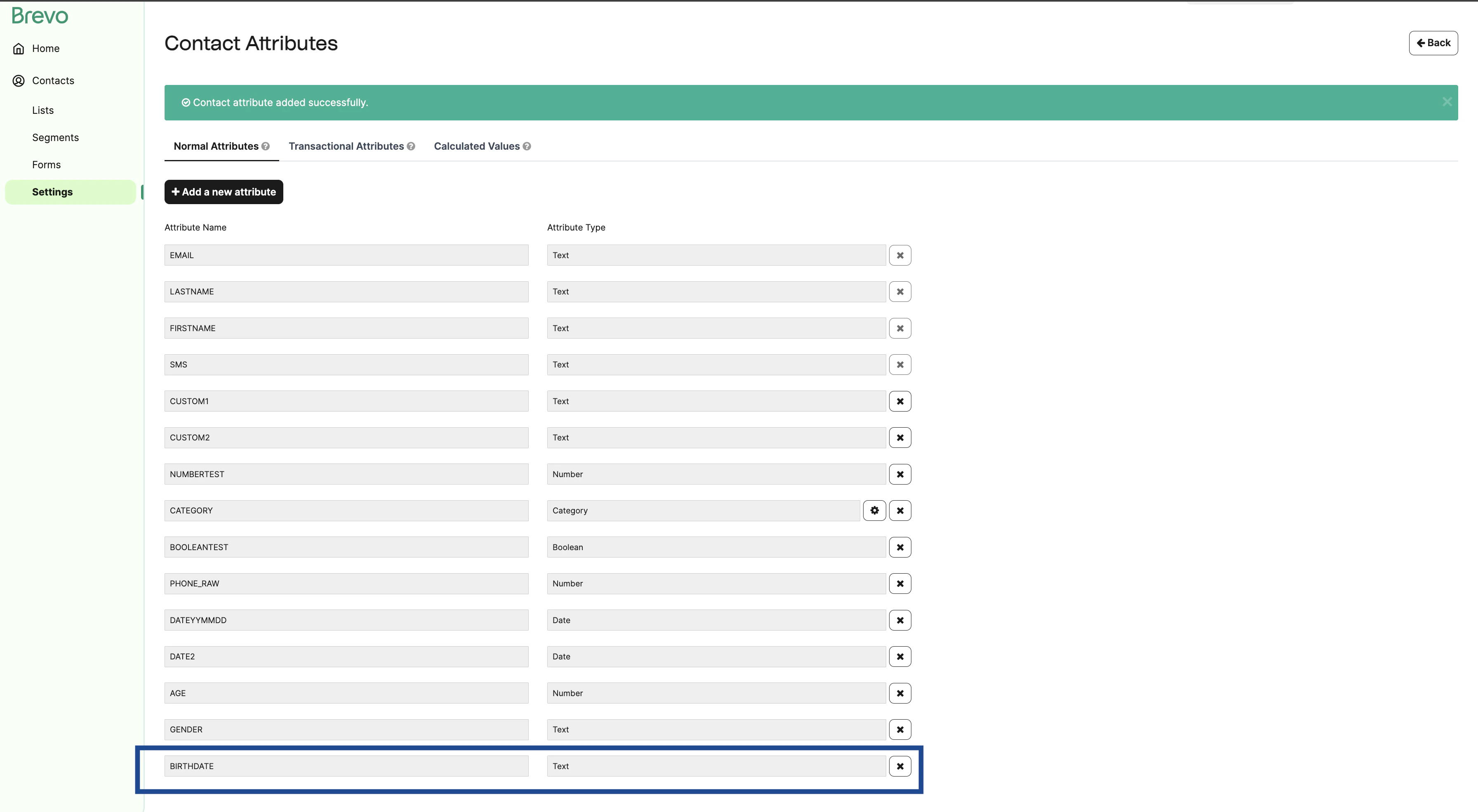
Add New Columns for Custom Attributes
Perform the following steps to add new columns for the custom attributes on the Sendinblue (Brevo) platform: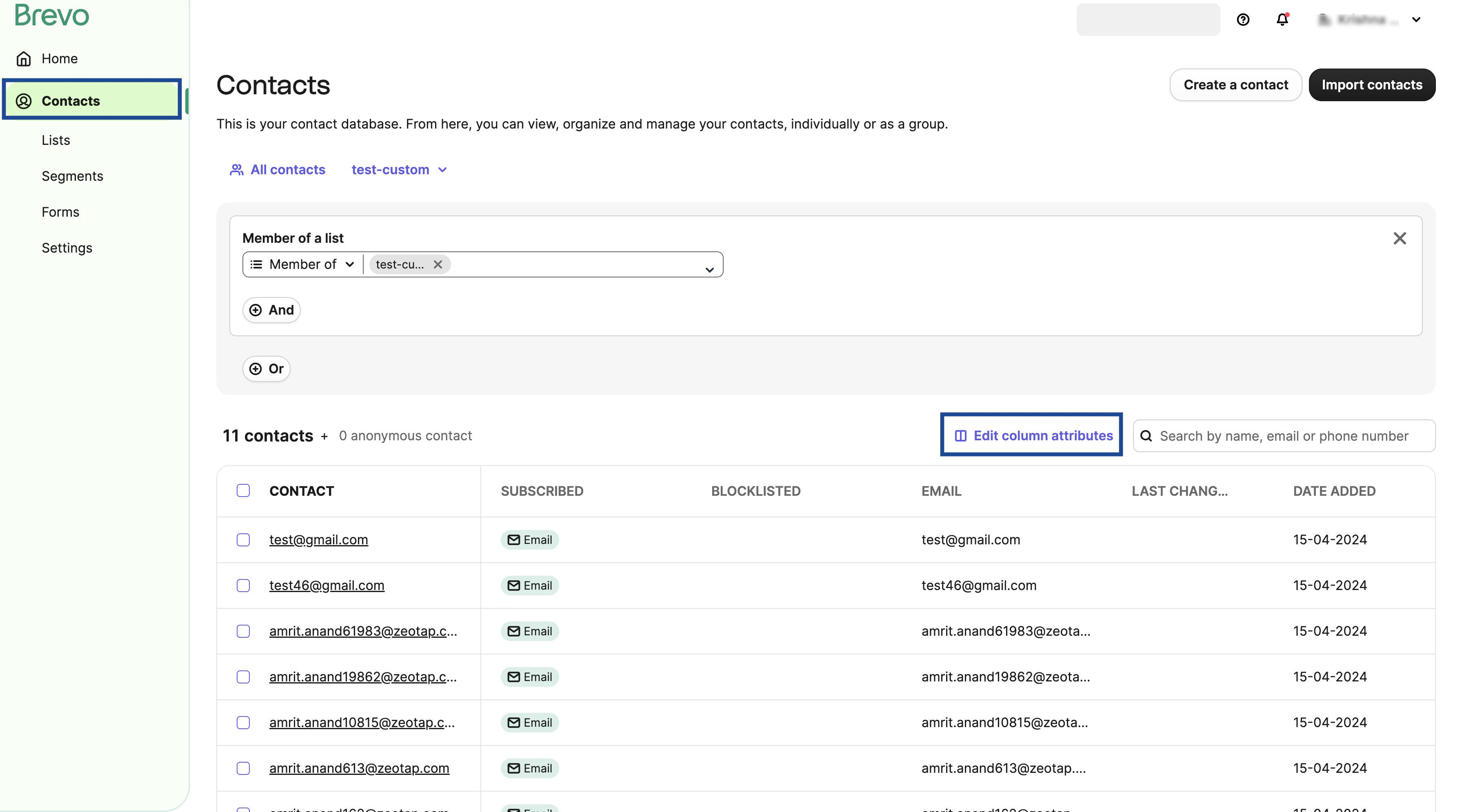
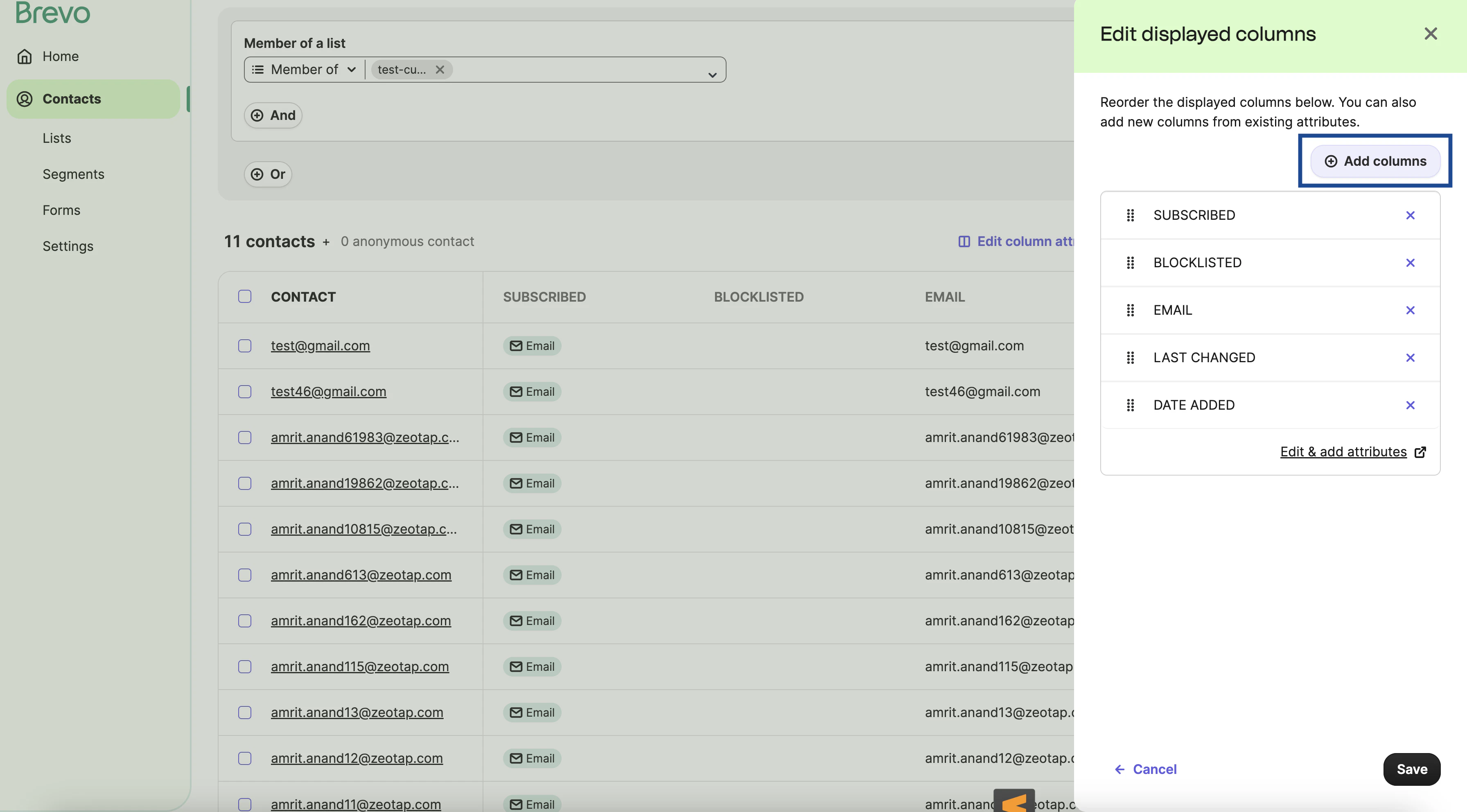
Search and add the desired custom attributes that you wish to view on the Sendinblue (Brevo) using the drop-down menu and click Save.